


Key Accounts are crucial for AppExchange Partners growth - whether it’s a large license, with significant revenue contributions, or an old relation acting as source of opportunities and network. ISV Insights provides Key accounts analytics on top of your Salesforce App Analytics API, to ensure client success, help them grow into loyal lifetime customers and evangelists of your apps.
Key Accounts Watchlist
A watchlist with all key accounts on the Dashboard can help you monitor risks and opportunities up close. We define key Accounts for Salesforce ISVs with two main criterions - License Size aka ‘Seats’ and Account Age with ‘Activation Date’ .
To Create a** Watchlist for all Key Accounts on Declining Health Score**, follow these steps:
- Go to Accounts. Click on Advance Filters to Expand the filters list.

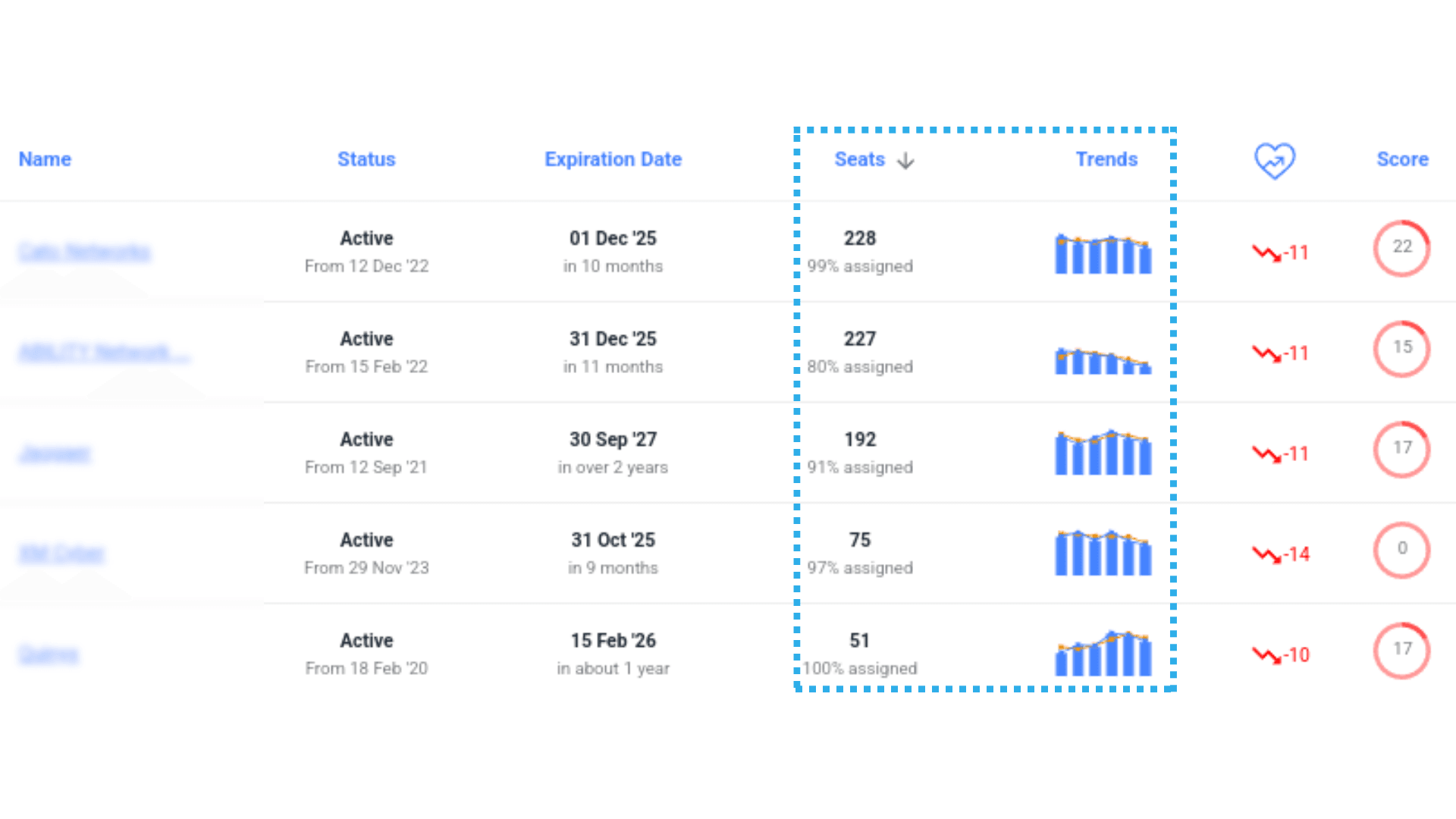
- Select Seats 50 and above. Further Limit this selection to old accounts, with a long history of using the product – using Activation Date filter. I have chosen accounts with activation date older than one year and more for this example:

- From KPI trend select "Declining". From KPI Score Range, let’s say I select 0 - 80
-
Voila! You see all the Key Accounts with decline in recent months. To permanently save this view on the Dashboard, click ‘Save View As’ with name "Key Accounts in Decline" You have successfully cind monitor watchlist of Key Accounts with AppExchange App Analytics data. This watchlist is accessible through Watchtower on top right of the Dashboard - check this Watchlist from time to time and always exceed customer insights through enhanced support.
-
Health Score for Key Accounts If your ISV solution has a small number of Features, then a single Primary score can cover necessary details for all the account categories. For ISV apps with a vast number of features, its ideal to evolve the KPI measures as account journey moves forward.
Let’s define a KPI Score which is for your Advanced users or key accounts. Before creating the score, we need to ask few questions to classify your ISV App features
- Which Core features reach almost Every single user onboard
- Are there advanced features that need training and only old users are expected to frequent them?
The idea is to keep a common KPI score with all basic features, targeting all the average /new accounts. All advanced features on the other hand, are to be added under Advanced KPI metrics, focused on old / major accounts. Once you have listed core and advanced features of your AppExchange solution, let's create a KPI Score, curating the AppExchange App Analytics API data sets
-
Create a new KPI Score by going to Setup > KPI Scores > New KPI Score Config
-
Create your first Rule by clicking on ‘Add Rule’. Set Rule type as ‘Feature Usage’. From the ‘Features’ dropdown please choose a Core Feature that we have identified above
-
If it’s a general purpose feature – expected to be used by large number of users, set Target metric as ‘Unique Users % relative to sold seats’
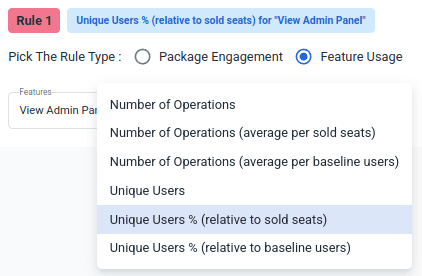
If the feature is such that it may be used by few users at a large frequency, choose ‘Number of Operations’ as the target metric
-
The range for scoring should be kept on the higher side – given than these are major accounts and have been using the product for a long time. For operation count metric, upper range should be about 30 clicks / per user. For unique user % the upper range should be 50% and above.
-
After the Core features, we can add rules for some Advance Features identified above in the same manner
-
We can keep more relaxed range for Scoring these Advanced features. This way we can allow the old accounts to slowly advanced into nuanced features without losing touch with the essentials
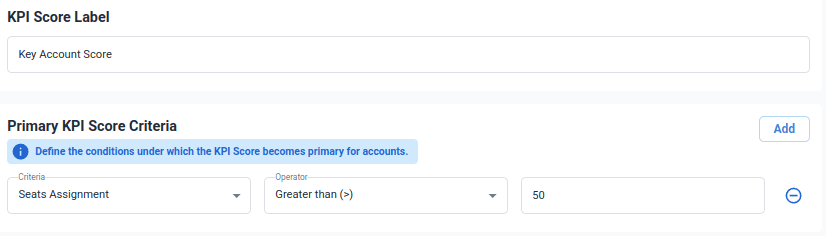
Thus we created a KPI score with a Healthy mix of Essential Features and the Advanced Features. There is a dropdown for ‘Primary KPI Score Criteria’. We can Measure performance on the selected features for a specific set of accounts with seat counts above a specific number.
By Creating a Watchlist for Key Accounts and by creating a dedicated custom KPI Score, you can now be confident about ensuring Key Account success. Not only will we ensure that essential features adoption stays up to mark, but also that advanced features are sufficiently adopted by your loyal Key customers. By keeping regular watch on all Key Accounts, we can ensure timely interventions to exceed customer expectation, ensure retention.